
Guide · Byte Bunny Technology
How do you pay a laundromat washer or dryer by DuitNow QR?
Pay a laundromat washer or dryer by DuitNow QR in 3 steps with the banking or e-wallet app you already have, and what to do if it won't start.
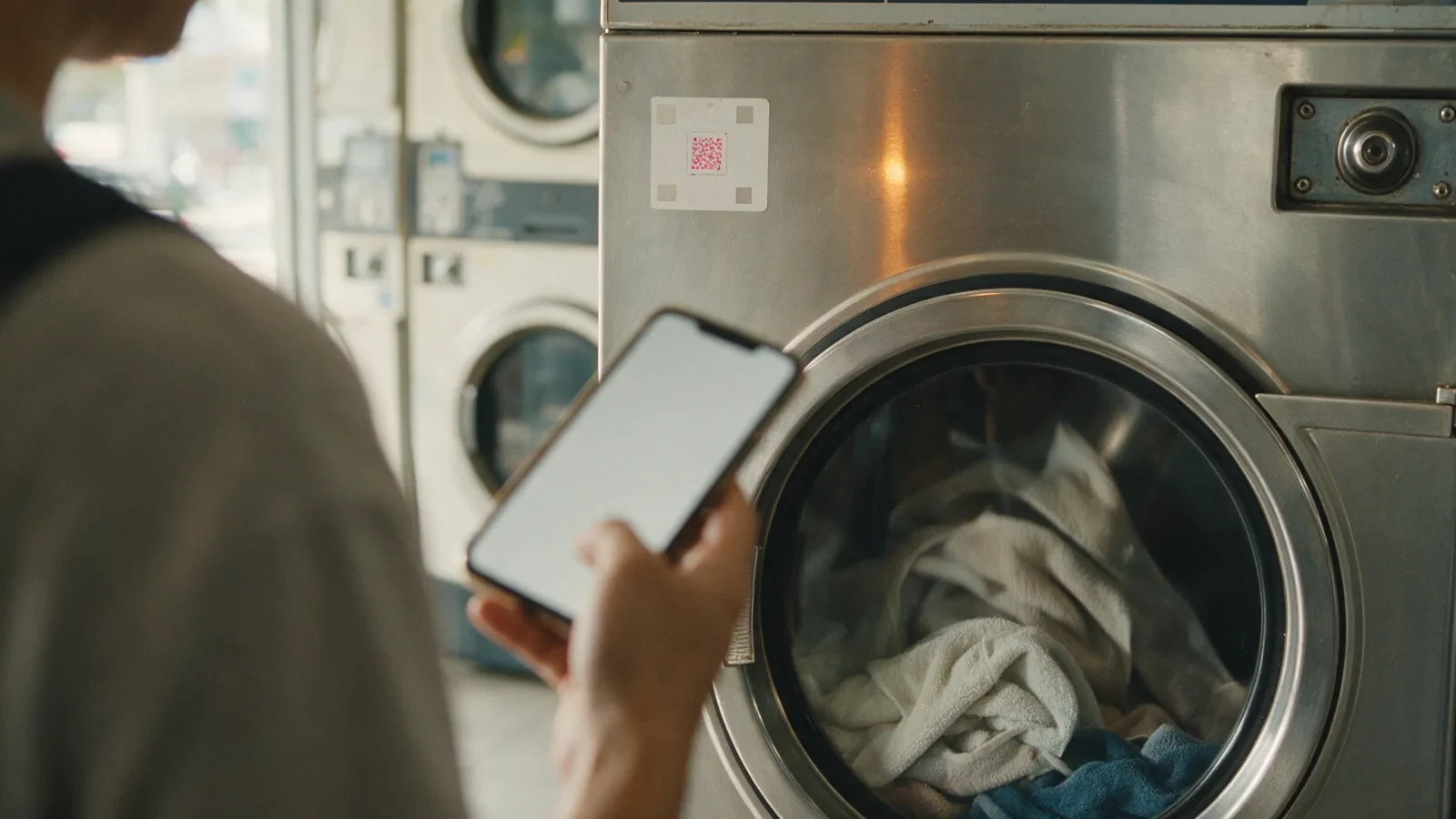
To pay a self-service washer or dryer by DuitNow QR, open your e-wallet or banking app, open its scanner and scan the QR on the machine, then pay the machine's price. The machine then starts. These are the three steps Byte Bunny Technology's own how-to films show at a washer and a dryer. You need no coins and no tokens, only the app already on your phone.
Key takeaways
- The same three steps work at a laundromat washer and a dryer: Byte Bunny Technology's washer and dryer films both begin with "Buka apps e-wallet", and its English-captioned Electrolux dryer film with "Open our Bank apps".
- After you scan, your app may ask you to type the amount: PayNet says a static QR needs it entered by hand, while a dynamic QR already carries it. Either way, it is the machine's price.
- PayNet says DuitNow QR needs no separate registration if you already bank or use an e-wallet with a participating provider, and that its payments are free for consumers.
- Before you approve, check the amount and the merchant's name, as PayNet's own steps advise.
- If the machine does not start after you paid, keep a screenshot and contact the laundromat first. If it cannot sort it out, raise a dispute with your bank or e-wallet within 60 calendar days of paying; PayNet says a later dispute is invalid.
This guide is for anyone at a self-service laundromat (dobi layan diri) with no coins, only a phone, and for owners who want a page to show their customers. The steps are for a washer or dryer with its own DuitNow QR on it, as in Byte Bunny Technology's films; if a laundromat has you pay at a central kiosk or in its own app instead, follow the instructions posted in that shop. For the machine's side, see how QR payment works at a self-service machine.
How do you pay a laundromat washer or dryer by DuitNow QR, step by step?
Paying a laundromat washing machine or dryer by DuitNow QR takes three steps on your phone and nothing in the coin slot. Byte Bunny Technology's 31-second washer film shows each step with a Malay caption, translated in the list below, and its dryer films start the same way, with an e-wallet or banking app.
- Open your e-wallet or banking app. The washer film's first caption reads "1. Buka apps e-wallet" (open your e-wallet app).
- Open the app's scanner and scan the QR on the machine. The caption reads "2. Buka scanner dan scan QR" (open the scanner and scan the QR). In the films, the QR is a DuitNow QR sticker on the machine itself.
- Pay the machine's price. The caption reads "3. Bayar ikut harga mesin basuh" (pay the washer's price). Once the payment goes through, the machine starts. The film closes with "Senang kan??" (easy, right?).
At a washer or dryer fitted by Byte Bunny Technology, Byte Bunny's servers start the machine after the customer's QR payment.
Run a laundromat with coin or token machines? Ask Byte Bunny Technology on WhatsApp at +60 19-279 2968 whether your washers and dryers can take payment this way.
What do you need before you scan the QR?
To pay a laundromat machine by DuitNow QR, you need a phone with mobile data or Wi-Fi and a banking or e-wallet app that can pay a DuitNow QR. No coins or tokens are needed. PayNet (Payments Network Malaysia), the national payments network behind DuitNow QR, says no separate registration is required if you already have an internet banking or e-wallet account with a participating provider.
There is no Byte Bunny app to download: you pay with the banking or e-wallet app already on your phone, and PayNet's support centre states that DuitNow QR payments are free for consumers.
PayNet says one DuitNow QR accepts payments from all participating banks, e-wallets and third-party providers. Paying by QR is already routine in Malaysia: Bank Negara Malaysia reports that DuitNow QR transaction volume doubled to three billion in 2025, from 1.5 billion in 2024.
What will your app ask for after you scan the QR?
After you scan the QR, your banking or e-wallet app shows the payment for you to check and approve. PayNet's general DuitNow QR steps say to enter the amount and verify the merchant's name, approve with a PIN, fingerprint or one-time password, then wait for a confirmation screen.
| Byte Bunny film step | What you do at the machine | PayNet's general DuitNow QR steps |
|---|---|---|
| 1. "Buka apps e-wallet" | Open your e-wallet or banking app | 1. Open your bank's internet banking or e-wallet app |
| 2. "Buka scanner dan scan QR" | Open the app's scanner and scan the QR on the washer or dryer | 2. Tap the DuitNow QR option in the app menu 3. Scan the merchant's QR code |
| 3. "Bayar ikut harga mesin basuh" | Pay the machine's price | 4. Enter the amount and verify the merchant's name 5. Approve with your PIN, fingerprint or one-time password (OTP) 6. A confirmation screen shows the payment succeeded |
| After paying | The machine starts | Not part of PayNet's steps: the machine side is the laundromat's payment system |
If your app asks for an amount, enter the machine's price. PayNet's support centre explains that a static QR is reused for every transaction, "requiring customers to manually enter the payment amount after scanning", while a dynamic QR is generated for each transaction "with the payment amount embedded", so the customer only reviews and confirms.
Is there a video showing how to pay a washer or dryer by DuitNow QR?
Yes. Byte Bunny Technology has published short how-to films on paying a self-service laundromat machine by QR, including these three: a 31-second washer film and a 38-second dryer film, both with Malay captions, and a 42-second Electrolux dryer film with English captions. Each runs under a minute and shows the steps at a real machine.
| Film | Machine | Length, captions | First step shown |
|---|---|---|---|
| Cara pembayaran duitnow QR di mesin basuh (Facebook; also on YouTube) | Washer | 0:31, Malay | "1. Buka apps e-wallet" |
| How to pay using DuitNow QR - Dryer (YouTube) | Dryer | 0:38, Malay | "1. Buka Apps e-wallet" |
| How to use Electrolux dryer in self service laundry (Facebook) | Electrolux dryer | 0:42, English | "1. Open our Bank apps" |
Cara bayar mesin basuh dobi layan diri dengan DuitNow QR
Untuk membayar mesin basuh atau mesin pengering di kedai dobi layan diri dengan DuitNow QR, ikut tiga langkah dalam video Byte Bunny Technology sendiri: buka apps e-wallet atau aplikasi bank anda, buka scanner dan scan QR pada mesin, kemudian bayar ikut harga mesin. Selepas bayaran berjaya, mesin akan mula beroperasi. Anda tidak perlu membawa syiling atau token.
What should you check before you tap Pay?
Before approving a QR payment at a laundromat, check two things on your phone's screen: the amount, which should be the machine's price, and the merchant's name. PayNet's own DuitNow QR steps tell you to verify the merchant's name when entering the amount, then approve the payment using the app's security method, such as a PIN, fingerprint or one-time password.
PayNet's support centre says DuitNow QR payments "are secured by your bank or e-wallet's authentication methods such as OTP, biometrics, or PIN", and that "no sensitive payment information is shared during the transaction". It adds that the standardised code "reduces the risk of fraud compared to proprietary QR codes". PayNet's chief executive, Praveen Rajan, said trust and security remain critical as digital payments grow:
"As digital payments continue to grow, trust and security will remain critical. Strengthening safeguards against scams while maintaining a resilient and accessible infrastructure will continue to be a key priority for the ecosystem."
Look at the sticker too: PayNet's checks when a payment fails include making sure "that the merchant's QR code is valid and not damaged". Report a torn or faded sticker to the laundromat before you pay.
What if you paid but the machine did not start?
If you paid a laundromat washer or dryer by QR and it did not start, do not pay a second time straight away. First check your app for a successful payment, take a screenshot as proof, and contact the laundromat's operator.
At a machine fitted by Byte Bunny, a failed start caused by the laundromat's wifi being down is refunded for you: the system sees the machine as offline and refunds your bank account automatically. If the washer or dryer itself is at fault, the laundromat owner refunds you, so the steps below still apply.
- Check the payment went through. PayNet's steps end with a confirmation: "A confirmation screen will notify you once the payment is successful." Your app's transaction history shows whether the payment was made.
- Keep proof. PayNet advises keeping "a screenshot or receipt as proof of payment for reference during the dispute".
- Contact the laundromat. PayNet says that "you may contact the merchant to initiate a dispute".
- Then your bank or e-wallet. If the merchant does not resolve it, PayNet says to contact your bank or e-wallet provider within 60 calendar days of the DuitNow QR payment; after that, the dispute is considered invalid.
The 60-day window for a DuitNow QR dispute runs from the date of the payment, not from the day you first contact the laundromat.
Will my laundromat customers manage paying by QR?
For laundromat owners, the steps on this page are the same scan-and-pay routine as any DuitNow QR payment. Bank Negara Malaysia reports that the acceleration in domestic e-payment adoption "was also driven by greater preference for QR payments in daily transactions".
The three steps are short enough to print beside each washer and dryer, with a link to Byte Bunny's films. Owners still deciding whether their machines can take QR can first read whether existing coin or token machines can accept DuitNow QR.
Own a laundromat with coin or token machines? Byte Bunny Technology fits an IoT device into existing coin or token washers and dryers so they accept DuitNow QR, and after a QR payment its servers start the machine. WhatsApp Byte Bunny at +60 19-279 2968 to ask about your machines, or contact Byte Bunny by phone or email.
Frequently asked questions
More answers for customers are in the Byte Bunny FAQ, and every guide is listed on Insights.
Do I need to download an app to pay a laundromat machine by QR?
There is no Byte Bunny app to download to pay a washer or dryer fitted by Byte Bunny Technology. You use the e-wallet or banking app already on your phone: open it, scan the DuitNow QR on the machine and pay the machine's price. PayNet says DuitNow QR needs no separate registration if you already have an account with a participating provider.
Can I pay with my banking app instead of an e-wallet?
Yes. Byte Bunny Technology's English-captioned Electrolux dryer film starts with "Open our Bank apps", and PayNet's general DuitNow QR steps begin by opening your bank's internet banking or e-wallet app. Use whichever app on your phone can pay a DuitNow QR; PayNet says one DuitNow QR accepts payments from all participating banks, e-wallets and third-party providers.
Is there a charge for paying a washer by DuitNow QR?
PayNet's support centre says DuitNow QR payments are free for consumers, so paying by QR adds no fee on your side. At the machine you pay the machine's price, which is step 3 of Byte Bunny Technology's washer film: "Bayar ikut harga mesin basuh" (pay the washer's price).
What should I do if the QR code will not scan?
PayNet suggests three checks when a DuitNow QR will not scan: your phone's internet connection and the app's status, whether the merchant's QR code is valid and not damaged, and, if the problem persists, your bank or e-wallet provider. Tell the laundromat about a damaged or faded sticker on the washer or dryer so it can be replaced.
Who starts the machine after I pay?
At a washer or dryer fitted by Byte Bunny Technology, Byte Bunny's servers start the machine after the customer's QR payment. A machine fitted by Byte Bunny can also be remotely activated, one of the benefits Byte Bunny offers laundromat owners.
Sources
- PayNet Support, DuitNow QR: How Do I Use DuitNow QR?, Do I Need to Register to Use DuitNow QR?, Are There Any Fees?, Is DuitNow QR Safe to Use?, What Should I Do If a Payment Fails?, How do I dispute or request for a refund? and What's the difference between static and dynamic QR?
- PayNet, DuitNow QR: paynet.my/personal-solutions/duitnow-qr.html
- PayNet, "8.44 Billion Transactions Processed in 2025 as Digital Payments Become Malaysians' Preferred Way to Pay", April 2026: paynet.my press release
- Bank Negara Malaysia, Annual Report 2025, "Promoting Safe and Efficient Payment and Remittance Services": bnm.gov.my/publications/ar2025/ch1e
- Byte Bunny Technology, how-to films: washer (Facebook; also on YouTube), dryer (YouTube, @ByteBunnyTech) and Electrolux dryer (Facebook)
Related reading
All guides are on Insights. Laundromat owners start with cashless QR payment for coin and token laundromats.