
For customers at the washer or dryer
How QR payment works at a self-service machine
The short answer
Customers pay a self-service washer or dryer fitted by Byte Bunny Technology in three steps. Open your e-wallet or banking app. Open the app's scanner and scan the DuitNow QR sticker on the machine. Pay the machine's price, and the machine then starts. Our own how-to films show these three steps. There is no extra app to download and no cash to bring.
Updated
01
How do I pay a washer or dryer by QR?
Byte Bunny Technology's how-to films show the same three steps at a washer and at two dryers; the Malay line under each step is the caption of our washer film.
Open your e-wallet or banking app
The customer opens the payment app already on their phone. Our washer and dryer films open an e-wallet app; our Electrolux dryer film opens a bank app.
In our filmBuka apps e-wallet Open the app's scanner and scan the QR on the machine
The QR is a DuitNow QR sticker on the machine itself; in our washer film it sits on the washer's control panel.
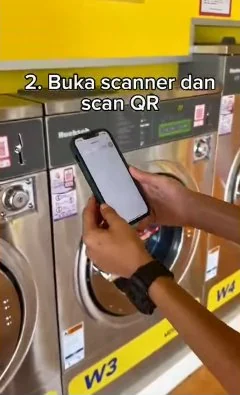
In our filmBuka scanner dan scan QRFrame from our own washer film Pay the machine's price, and the machine starts
The customer pays the price that machine charges, inside the app: our brochure puts it as select the required amount, then confirm your payment. Byte Bunny's servers then start the machine; see What happens after I pay?
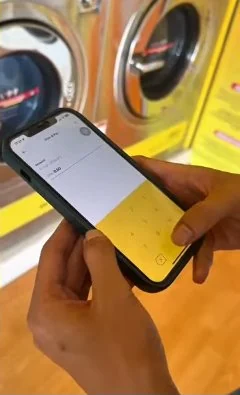
In our filmBayar ikut harga mesin basuhFrame from our own washer film
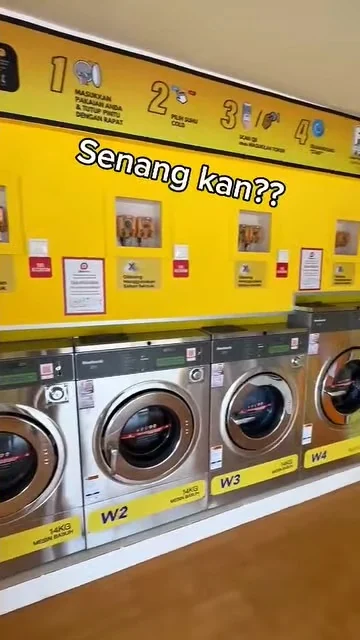
Senang kan??“Easy, right?”: the closing line of our washer film.
02
Watch it: Byte Bunny's how-to videos
Byte Bunny Technology's own Facebook page and YouTube channel carry short how-to films. These three show a customer paying at a washer or a dryer; each opens on Facebook or YouTube.
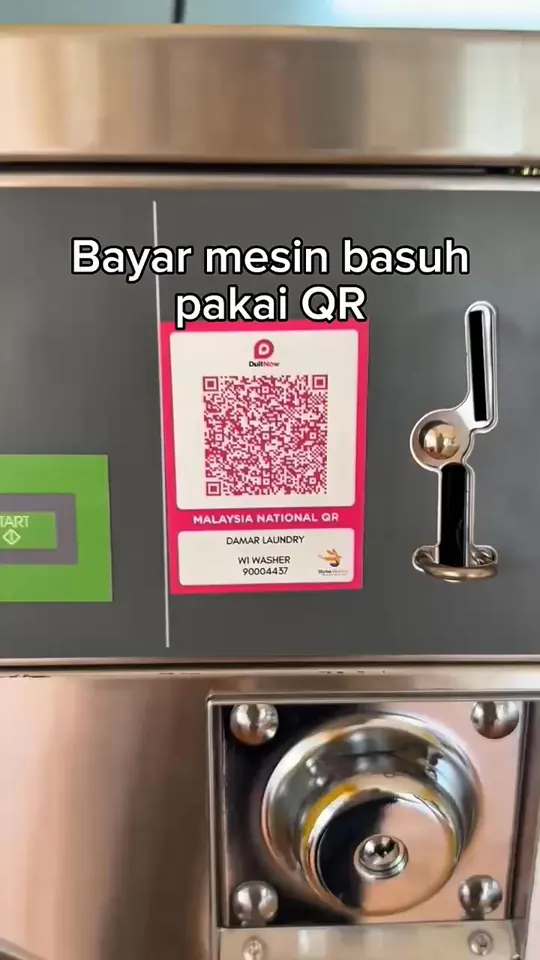 0:31Cara pembayaran DuitNow QR di mesin basuhFacebook · Malay captionsPaying a self-service washer by DuitNow QR. The same film is on our YouTube channel.Frame from our own film · watch on Facebook
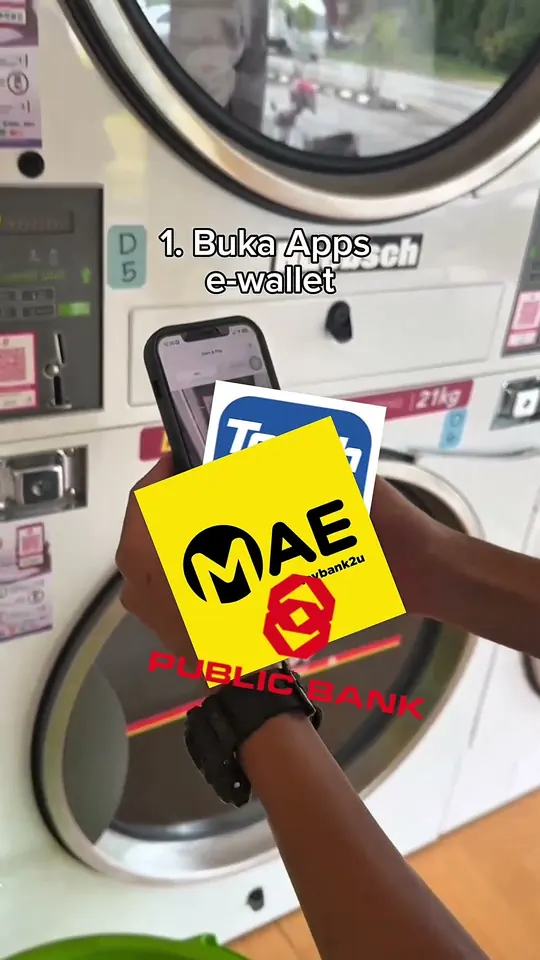 0:38How to pay using DuitNow QR - DryerYouTube · Malay captionsPaying a self-service dryer by DuitNow QR, starting with “1. Buka Apps e-wallet” (open the e-wallet app).Frame from our own film · watch on YouTube
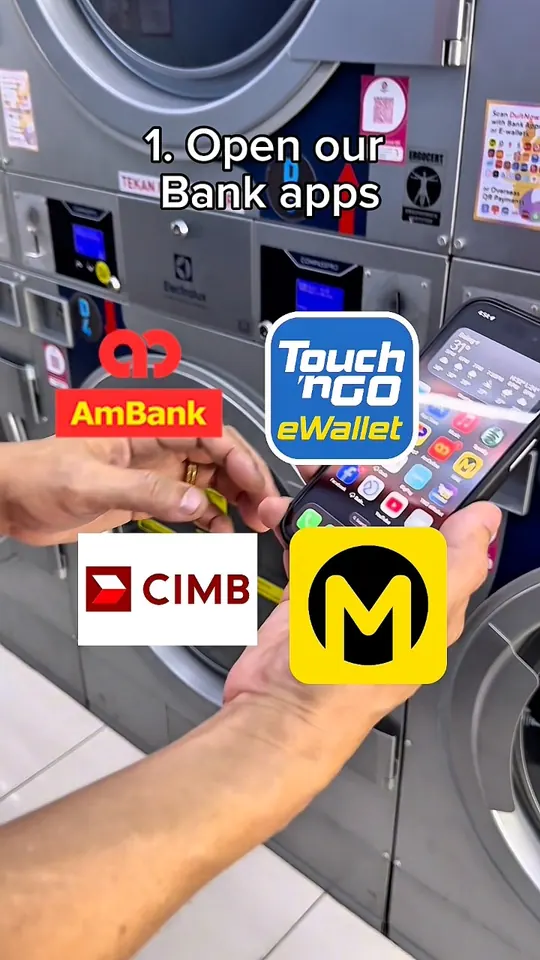 0:42How to use Electrolux dryer in self service laundryFacebook · English captionsPaying an Electrolux dryer in a self-service laundry by QR, starting with “1. Open our Bank apps”.Frame from our own film · watch on Facebook
Our Facebook page and our YouTube channel, @ByteBunnyTech, carry these films and the rest of our news.
03
Can I use a banking app instead of an e-wallet?
E-wallet appHow to pay using DuitNow QR - Dryer
Bank appHow to use Electrolux dryer in self service laundry
Yes. Byte Bunny Technology's own films show both: our washer and dryer films start with an e-wallet app, and our Electrolux dryer film starts with “Open our Bank apps”. Either kind of app pays the machine in the same three steps.
Our customer benefits include “Many e-wallet payment methods available”. Our brochure lists these banks and e-wallets, “and many more”:
- AEON Bank
- Affin Bank
- Affin Islamic
- Agrobank
- Al Rajhi Bank
- Alipay
- Alliance Bank
- Alliance Islamic Bank
- AmBank
- AmBank Islamic
- Bank Islam
- Bank Muamalat
- Bank of China
- Bank Rakyat
- BigPay
- Boost
- CIMB Bank
- CIMB Islamic
- Citibank
- Fasspay
- Finexus
- GrabPay
- GXBank
- Hong Leong Bank
- Hong Leong Islamic Bank
- HSBC
- HSBC Amanah
- ICBC
- Maybank
- Maybank Islamic
- MBSB Bank
- Merchantrade
- OCBC
- OCBC Al-Amin
- Public Bank
- Public Islamic Bank
- RHB Bank
- RHB Islamic Bank
- S Pay Global
- Setel
- ShopeePay
- Standard Chartered
- Standard Chartered Saadiq
- Touch 'n Go eWallet
- UOB
04
What do I need with me?
To pay at a machine fitted by Byte Bunny Technology, you need your phone and the app you already pay with.
- Your phone, with the e-wallet or banking app already on it.
- Nothing new to download: Byte Bunny Technology's customer benefits include “Hassle free - no apps to download”, and there is no Byte Bunny app to install.
- No cash: the same list says “Prevents theft - no need to bring cash”. No coins to find, and no tokens to buy first.
- Coins or tokens still work: the coin slot stays beside the QR, and you can split one payment, such as 3 tokens and RM4 by QR for a RM7 wash.
05
What happens after I pay?
- You pay in your app
- Our servers
- The machine starts
Once you have paid, our servers start the machine. Byte Bunny Technology installs an IoT device into the laundromat owner's existing machines, so each one can accept DuitNow QR payment.
Paid, but the machine did not start? If the laundromat's wifi is down, our system sees the machine as offline and refunds your payment to your bank account automatically. If the washer or dryer itself is at fault, the laundromat owner refunds you.
06
Do washers and dryers work the same way?
Yes. Byte Bunny Technology's films show one washer and two dryers, each paid in the same three steps.
Three steps, and you are done.
Seen the QR on a washer or dryer? That is all it takes. Run a laundromat and want this on your own machines? Talk to us.
Talk to us on WhatsApp